


As AI agents transition from experimental pilots to core operational infrastructure, they require a reliable, governed way to bridge two environments: the platform that manages their logic and the enterprise systems that hold their data.
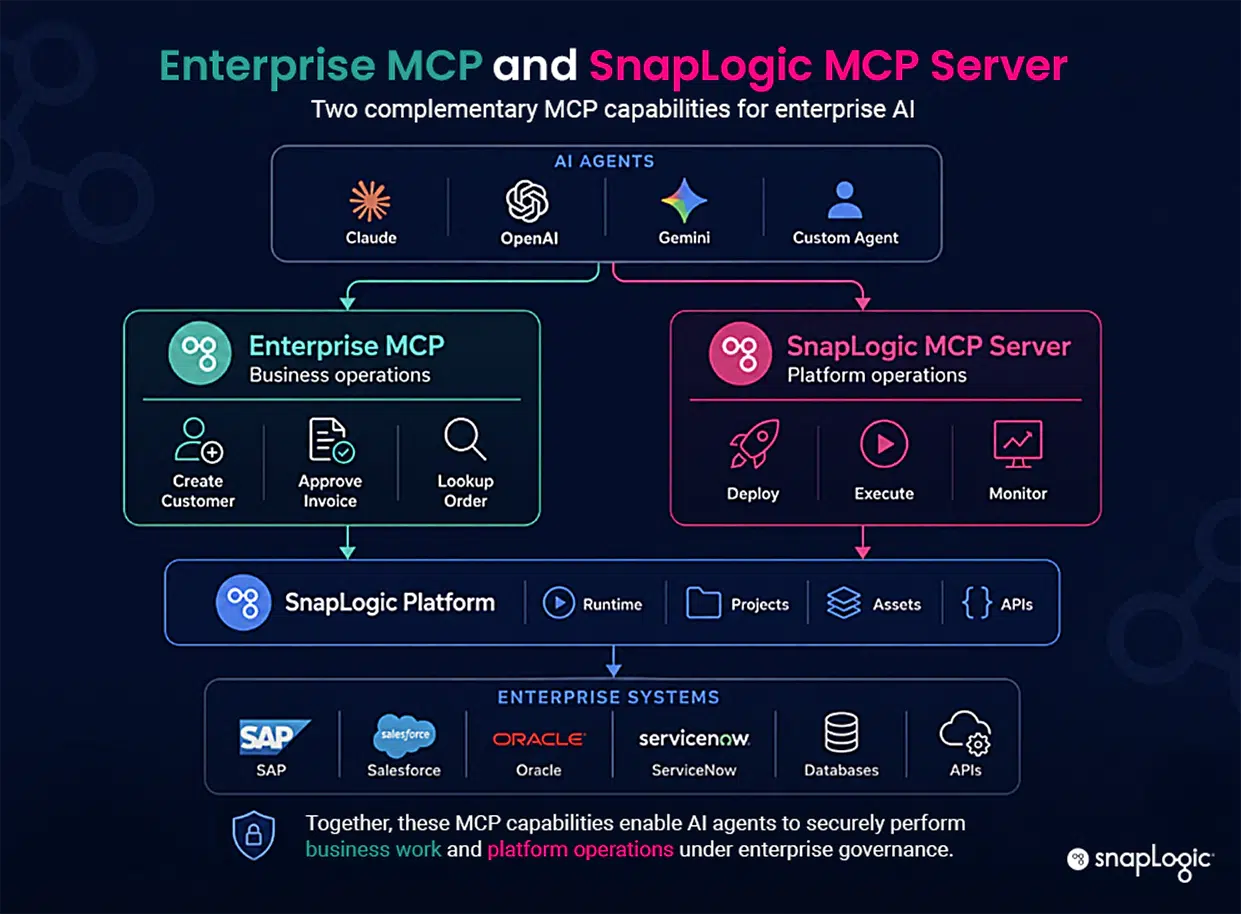
SnapLogic provides two distinct paths to address these different operational needs: 1) SnapLogic MCP Server and 2) Enterprise MCP. Understanding this distinction is critical: agents generate exponentially higher volumes of backend traffic than human teams, and forcing these two paths into a generic “AI can call anything” model creates security risks and operational sprawl.
To succeed at scale, enterprises need a clear and governed separation between managing agent operations and accessing enterprise data.
A short primer on MCP
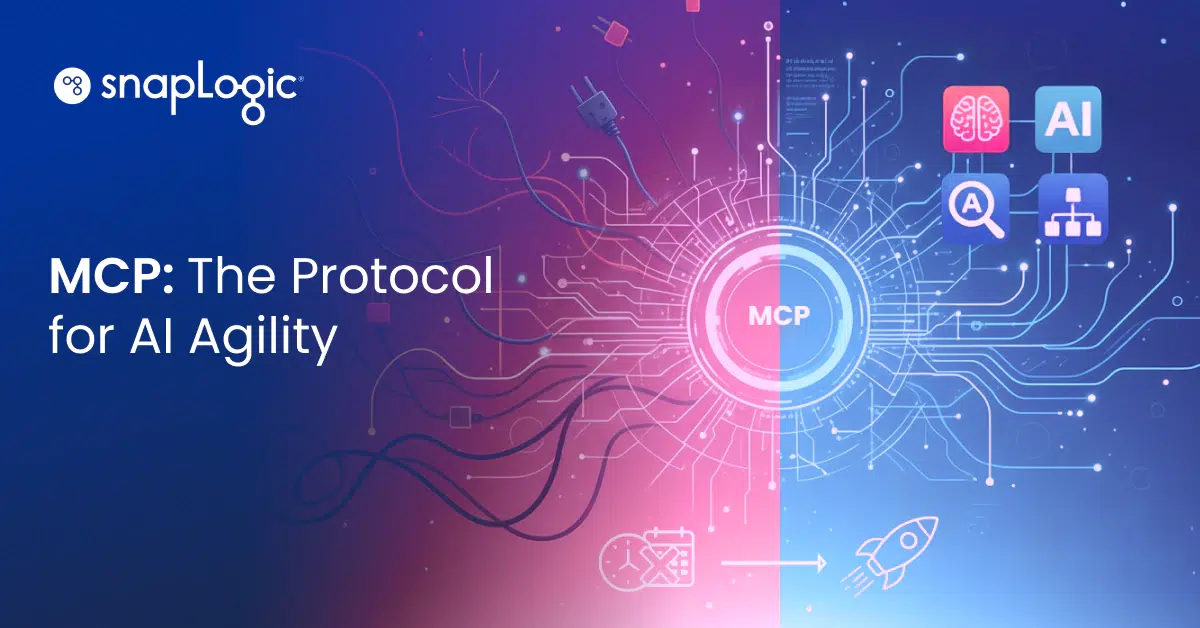
The Model Context Protocol, or MCP, is an open standard that provides AI agents with a consistent way to discover and call tools. Instead of engineering a custom integration every time an agent needs to interact with a new system, the agent asks an MCP Server what’s available and calls upon what it needs.
The server handles authentication, structure, and response. SnapLogic appears on both sides of that handshake, and it works whether the agent making the call is built on Claude, another AI provider, or an internal framework your team wrote from scratch.
Path one: SnapLogic MCP Server, the governed MCP interface to the platform
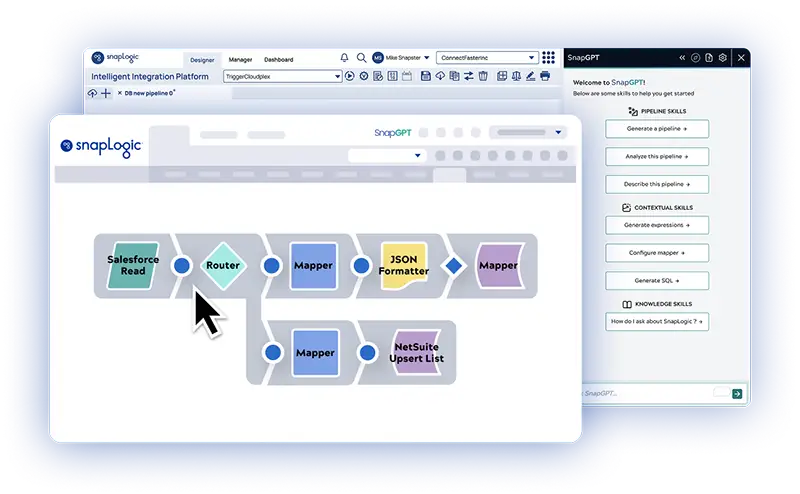
Building a pipeline and operating one in production are two different problems. Once a pipeline exists, something still has to deploy it, run it, secure it, and prove what happened when it ran. That’s where the SnapLogic MCP Server comes in. It’s the operating layer for agents, exposing the same platform actions a developer would click through in Designer as governed tool calls. Here are a few examples in practice.
Build and deploy with the same agent
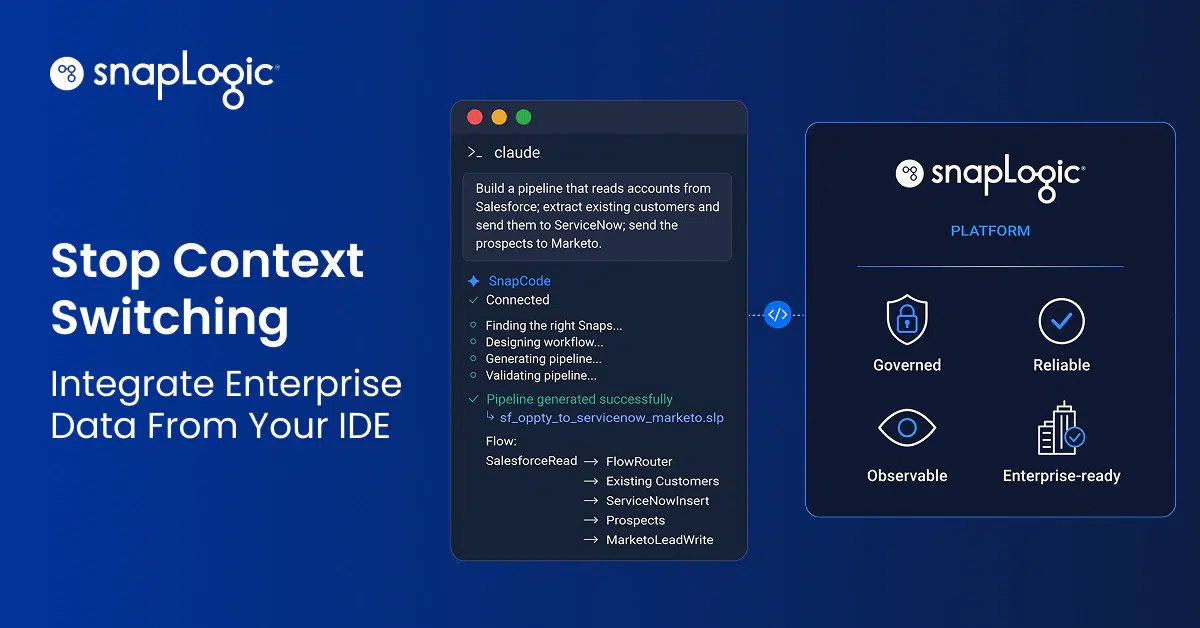
Use case: a coding agent deploying and managing pipelines it just built. SnapCode is the natural-language tool developers use to build a pipeline; the SnapLogic MCP Server is what deploys, runs, validates, and manages it afterward. Through it, an agent can carry out those platform operations as tool calls, the same actions a developer would normally click through in Designer.
Production at scale, with an audit trail
Use case: a business agent operating pipelines already in production at high volume. Every call carries the identity of the person or system the agent is acting for, gets checked against policy, gets rate-limited, and lands in a log with who called it, what ran, and what happened. Once a pipeline is running, there’s no LLM involved in executing it, so cost and behavior stay fixed and predictable. That’s the “build with AI, run with SnapLogic” idea: the agent builds, the platform runs it the same way every time.
Every agent, one door in
Use case: multiple agent frameworks that require a governed entry point. Rather than setting up a separate access path for every coding agent, business agent, or custom framework a team adopts, the SnapLogic MCP Server gives them a single governed endpoint into the platform.
Path two: Enterprise MCP, for what SnapLogic already connects
Path one covers pipelines that an agent just built. Path two covers everything SnapLogic already connects to. Enterprise MCP takes your existing pipelines and Snaps and exposes them as tools an agent can discover and call, giving agents access to real business systems without a rebuild.
Real business context, on demand
Use case: an agent looking up an order status in SAP, or reconciling a record between two systems. Enterprise MCP exposes existing pipelines and integrations as MCP tools while leveraging SnapLogic’s 1,000+ enterprise connectors. That gives the agent enough real business context to understand cross-system state, reconcile a customer record between a ticketing system and the CRM, or pull the information that shortens a sales cycle.
Pipelines that can reach outward, too
Use case: a pipeline that needs capabilities from a third-party SnapLogic MCP Server. This runs in the other direction. An MCP Client lets pipelines you’ve already built reach out to external SnapLogic MCP Servers, generating the function definitions, executing operations remotely, and formatting the results, so your integrations can tap into what other teams or vendors are building without you redoing any of it.
One governed access point
Use case: IT needs one governed access point instead of agent-by-agent sprawl. Every Enterprise MCP call passes through SnapLogic’s AI Gateway, where authentication, rate limits, audit trails, and identity propagation (Trusted Agent Identity) all live, limiting an agent to exactly the permissions of the person it’s acting on behalf of. Because those connections are centralized through the Gateway instead of point to point, IT manages one system instead of babysitting a new integration every time an agent needs a new system to reach.
Enterprise MCP runs alongside existing APIs, direct database queries, and the Snap catalog. It works for agents built outside AgentCreator, too.
Same foundation, two doors
SnapLogic MCP Server and Enterprise MCP are built on a unified foundation, not separate trust models. Every call is authenticated, authorized, rate-limited, and logged, ensuring deterministic pipeline execution. This consistency allows security teams to confidently embrace agent-driven automation, moving away from treating each agent as a fresh integration risk. It also eliminates the operational sprawl caused when teams create ad hoc methods for agents to access business systems.
Which one fits your use case
If you’re building or operating pipelines directly, start with the SnapLogic MCP Server. If your agents need to reach the business systems SnapLogic already connects, start with Enterprise MCP.
Most organizations will eventually need both in the same workflow. An agent operates pipelines through one door while feeding a process that reaches business systems through the other. The same identity and audit model governs both.
Ready to see it running on your own systems? Book a demo, and we’ll walk through both paths on your data.