




What is an IDE?
An Integrated Development Environment (IDE) is a software application that bundles the tools developers need to write, test, and debug code into a single interface. A developer works inside one program that handles editing, compiling, and debugging together.
Most IDEs share a common core: a code editor with syntax highlighting, a build or compile step, a debugger for stepping through running code, and some form of project or file management. Beyond that core, IDEs differ widely in language support, extensibility, and how much they automate.
How does an IDE work?
An IDE brings separate development tools together so code can be written, executed, and inspected without leaving the application. When a developer writes code, the IDE’s editor typically checks syntax in real time, flags errors before the code ever runs, and offers autocomplete based on the project’s existing symbols and libraries.
When it’s time to run or test the code, the IDE hands off to an underlying compiler or interpreter, captures the output, and surfaces errors back in the editor at the exact line that caused them. Many IDEs also integrate version control (like Git), so committing, branching, and reviewing diffs happen in the same window as the code itself.
What features does a modern IDE include?
Beyond the editor-compiler-debugger core, modern IDEs typically add: intelligent autocomplete that understands types and project structure, refactoring tools that rename or restructure code across many files safely, integrated terminals, plugin or extension ecosystems, and increasingly, AI-assisted code generation and review built directly into the editing surface.
Project-level file management and dependency handling are also standard. An IDE usually knows what libraries a project depends on and can install, update, or flag conflicts in those dependencies without the developer leaving the tool.
Why does an IDE matter?
IDEs cut the friction of switching between tools during development. Catching syntax errors and logic issues at write-time shortens the feedback loop and speeds up iteration, especially on larger codebases with many interdependent files.
That matters more as codebases and teams scale. A single missing import or type mismatch caught instantly by the IDE is a two-second fix. The same error discovered later in a failed build, or in production, can cost hours of debugging and carry a much larger blast radius.
IDE vs. code editor: what’s the difference?
A code editor (like a lightweight text editor with syntax highlighting) focuses on writing and reading code. An IDE goes further: it also compiles or runs the code, debugs it, and manages the surrounding project, dependencies, and often version control, all inside the same application.
The line has blurred as editors like VS Code added debugging, extensions, and build integration through plugins, becoming IDE-like in practice. The practical distinction today comes down to whether build, debug, and project management are integrated or bolted on.
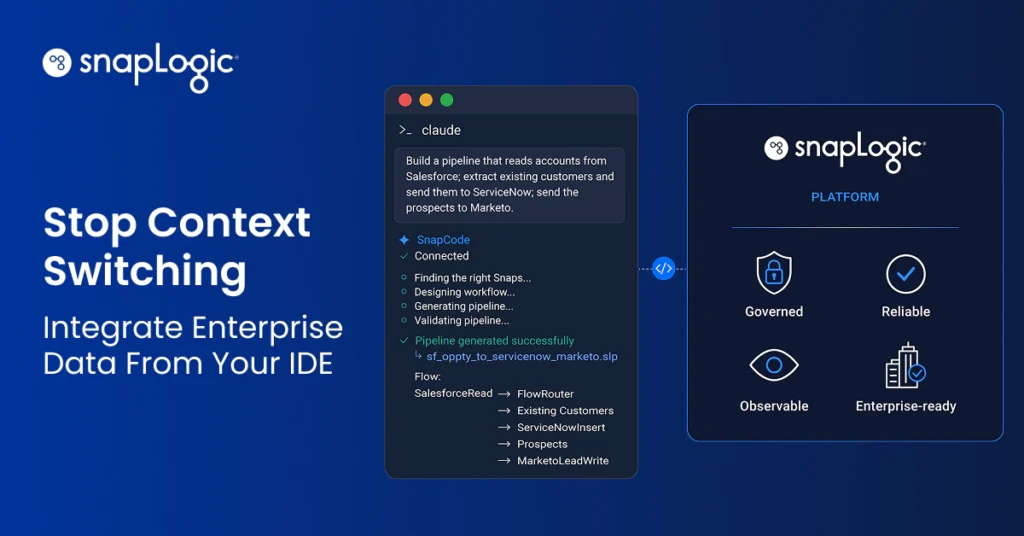
Build enterprise integrations without leaving your IDE with SnapCode.