




Every integration platform grows over time. New connectors get added, existing ones get refined, and usage patterns shift as teams tackle new problems. SnapLogic is no different. What customers actually use, and what has been released most recently, tells a clear story about where integration work is headed in 2026.
Usage data matters because it separates the connectors that get demoed from the ones that are relied upon. A platform can release dozens of new integrations in a year, but only a fraction become part of the daily routine for integration teams. The rest sit quietly until a specific project needs them. Real usage patterns reveal which Snaps and Snap Packs have earned a permanent place in production pipelines, and which new additions are already on track to join them.
The sections below cover the most relied-upon Snaps, the most popular Snap Packs, and the newest additions to the platform, and notes on what they do and why teams reach for them.
What are Snaps and Snap Packs?
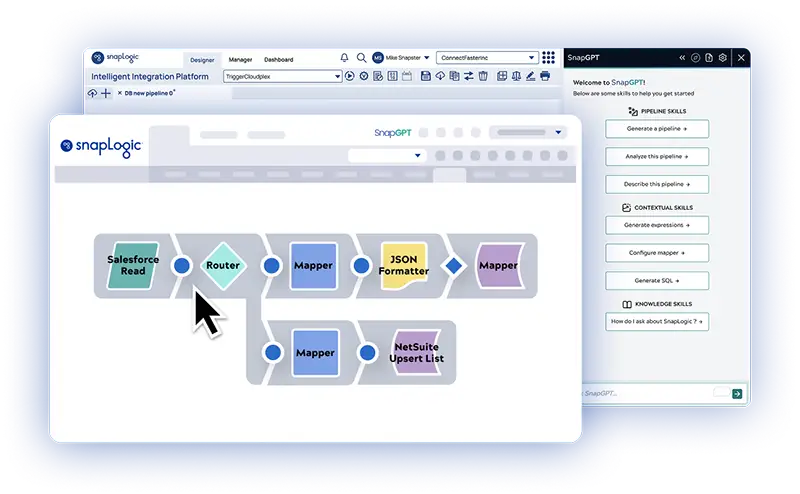
Before digging into the details, it’s worth covering what we mean when we refer to Snaps and Snap Packs. Snaps are the individual pre-built connectors that make up a SnapLogic pipeline. Each Snap performs one task, like reading a file, transforming data, or calling an API. Teams drag and drop Snaps into a pipeline and connect them to build out a full integration.
Snap Packs are collections of related Snaps built around a specific system or platform. A Snap Pack might cover a single database, a cloud data warehouse, or a SaaS application. Installing a Snap Pack gives a team every Snap they need to work with that system.
Together, Snaps and Snap Packs are the raw materials integration teams use to build pipelines.
The workhorses: most-used Snaps
Some Snaps are critical to most pipelines regardless of industry or use case. These are the building blocks teams combine to move and shape data, and most pipelines use several of them together. A single pipeline might use a Mapper to reshape incoming records, a Router to send them down different paths, and a File Writer to land the results somewhere useful, all in the same run.
The top of the list includes:
| Snap | Capability |
|---|---|
| Mapper | Transforms data from one shape into another, field by field |
| Union | Combines multiple data streams into one |
| Router | Sends records down different paths based on conditions you set |
| Pipeline Execute | Calls another pipeline from within the current one, useful for reusable logic |
| Copy | Duplicates a data stream so it can be processed multiple ways |
| Filter | Keeps or removes records based on a rule |
| Join | Merges two data streams based on a matching key, similar to a SQL join |
| JSON Splitter | Breaks a JSON array into individual records for further processing |
| File Writer | Writes pipeline output to a file in a chosen format and location |
| JSON Formatter | Converts data into JSON structure |
| HTTP Client | Calls external APIs directly from a pipeline |
| Group By N | Batches records into fixed-size groups for downstream processing |
| Exit | Stops pipeline execution and can pass an error or status back |
| Conditional | Branches pipeline logic based on a true or false check |
| Email Sender | Sends email notifications from within a pipeline |
Together, these Snaps form the backbone of most pipelines built on the platform today. They cover the core tasks nearly every integration needs: shaping data, controlling flow, and connecting to files, APIs, and notifications.
What makes them valuable is their consistent support, regardless of industry, team size, or use case. A retail company building an order sync pipeline and a healthcare provider building a records integration will likely both lean on Mapper, Filter, and Router at some point in their design.
Where the data lives: most-used Snap Packs
Snap Pack usage reveals where customer data resides and which systems teams connect to most frequently. It shows which cloud platforms, databases, and services surface most often across real production pipelines. The most-used Snap Packs include:
| Snap Pack | Capability |
|---|---|
| Snowflake | Used to read from and write to Snowflake data warehouses |
| AWS services | S3 for file storage, Redshift for data warehousing, DynamoDB for NoSQL data, and Amazon SQS and SNS for messaging and notifications |
| Google BigQuery and Google Cloud PubSub | For warehouse queries and event-driven messaging on Google Cloud |
| Azure SQL and Azure Service Bus | For database access and messaging on Microsoft Azure |
| Databricks | For connecting pipelines to Databricks lakehouse environments |
| Azure OpenAI LLM and Amazon Bedrock LLM | For calling large language models hosted on Azure and AWS |
That last pair is worth pausing on. AI workloads are becoming a core part of how customers move and use their data, and pipeline-level access to LLMs is now common enough to appear in the top usage list.
What’s new: the latest Snap Packs
New Snap Packs signal where the platform is headed before usage data catches up. A system typically appears here because customers requested it or a specific project required it, and demand held up beyond that initial case. This list is an early indicator of which integrations are gaining ground across the enterprise.
Some of our latest Snap Pack additions to the platform include:
| Snap Pack | Capability |
|---|---|
| IBM MQ | Adds support for enterprise messaging queues |
| Dropbox | Gives teams a direct way to manage files, links, and sharing permissions |
| Zendesk | Opens up help center articles, community posts, and support search to pipeline automation |
| Snowflake CDC | Enables change data capture directly from Snowflake Streams |
| EDIFACT | Brings dedicated parsing and formatting for EDI documents |
These updates replace workarounds with native, first-class support for critical enterprise systems. This ensures deeper, more reliable automation while allowing teams to integrate legacy environments as seamlessly as modern cloud infrastructure.
The integration platform that keeps pace
Connector count alone doesn’t tell the full story. What matters is whether the right connectors are ready when teams need them. SnapLogic is doing both: staying close to what customers use every day while expanding into where their needs are heading next.
The most popular Snaps and Snap Packs reflect steady, foundational work: shaping data, moving it to and from major cloud warehouses, and calling the AI services teams are building into production. The newest releases show where that foundation is extending next, into legacy messaging systems, collaboration tools, support platforms, and data formats that still run much of enterprise operations.
Want to see it for yourself? Try a self-guided tour of the platform or book a personalized demo with a SnapLogic expert.